Mrs. Newell's Math: Interactive Notebook

Showing posts with label Interactive Notebook. Show all posts

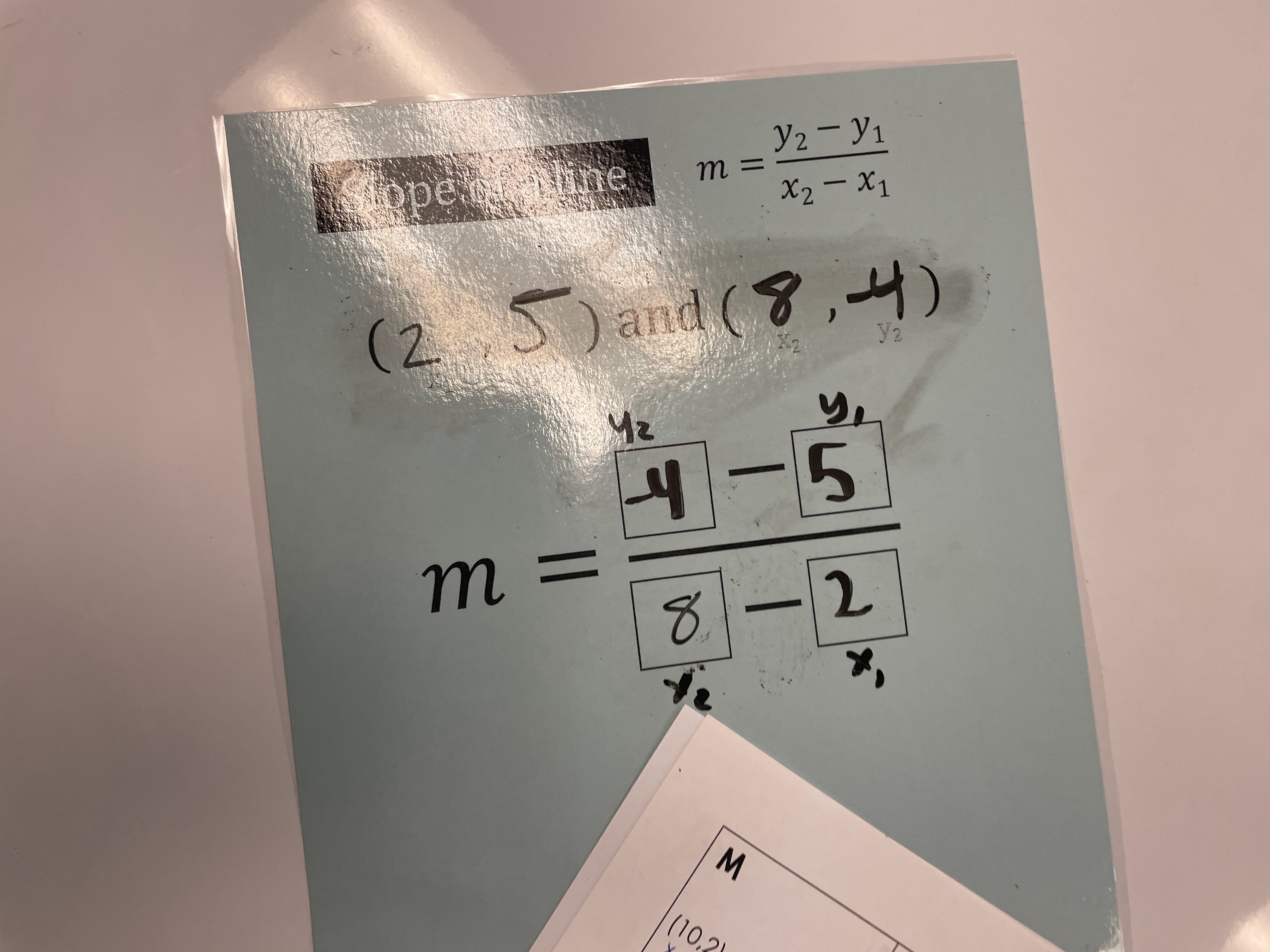
Introducing Slope Formula

Saturday, September 17, 2022

File for the Post: Introducing Slope Formula


This week, we began our Chapter 3 “Linear Functions” unit. My team introduces Linear Functions by first teaching how to find the slope from two ordered pairs and a given table. We strongly emphasize using the slope formula, since it is on the student's Algebra 1 Formula Chart. 


This year, I decided to create and laminate a “Slope Formula” template for students to write on with Expo Markers (HIGHLY recommend it)! To be honest, I didn’t think a majority of students would like to write on the sheet, but I was wrong. This was very successful (especially in our Algebra 1 co-teach classes).


After the notes, students completed the following cut-and-paste activity. Students had to match ordered pairs and tables that have the same slope. Students really enjoyed this activity and felt confident using the slope formula by the end of the class period!


Any interesting ways that you teach the slope formula? Would love to hear more successful teaching strategies!


0

Exponents Day 1 and Day 2

Monday, February 3, 2020
THIS IS MY 100TH POST! One of my goals this month is to write a blog post twice a week. I know I say that every post BUT I really want to start sharing more of my instructional materials. This past Friday, students took their test over Exponents and did extremely well. I strongly suggest introducing the rules for negative and zero exponents at the beginning of the unit.

For notes, I created a flip-book over Exponents that we used for the whole unit. This was the first unit that students regularly referenced their flip-book. 


On Day 1 and Day 2, we went over Product of Powers and Quotient of Powers. After the Product of Powers and Quotient of Powers flap, students worked on a partner activity. Students always enjoy partner activities because they are able to work with each other and make sure they received the same answer. If students do not receive the answer, they check both of each others work to come up with the correct solution.


This post summaries day 1 and day 2 of our exponents unit and I can't wait to post about the remaining days on Wednesday! 

If you want the files -> Click Here

2

Algebra 1: Solving Equations and Inequalities

Tuesday, August 14, 2018
Hello all! I feel like it has been forever since I blogged, but I do have a plan this year to blog AT LEAST three times a week. I made a promise to myself at the beginning of the summer that I will finish up my Masters and take a two month break from doing anything work related. It was soooo nice but now I am feeling the stress of coming back to work. Last school year, I was the Algebra 1 Math Interventionist and this year, they are changing my title to "Math Instructional Coach." I am very excited about this new journey and I am really looking forward to it!

We had GREAT success on our Algebra 1 STAAR scores last year and we saw an increase in our scores from 72% to 87%. The past school year was the first school year that the Algebra team used interactive notebooks and we are all in agreement to use them again this year due to our huge success! There have been some changes in our scope and sequence from our district curriculum coordinator. For example, the team decided to teach solving equations and solving inequalities together.

I am still planning to use the following Simplifying Expressions foldable and activity that I blogged about here.  


We are "chunking" this foldable since it lands on a pep rally day and we will complete a matching activity just over combining like terms.


The following pages will be new this year to adjust to teaching equations and inequalities together.


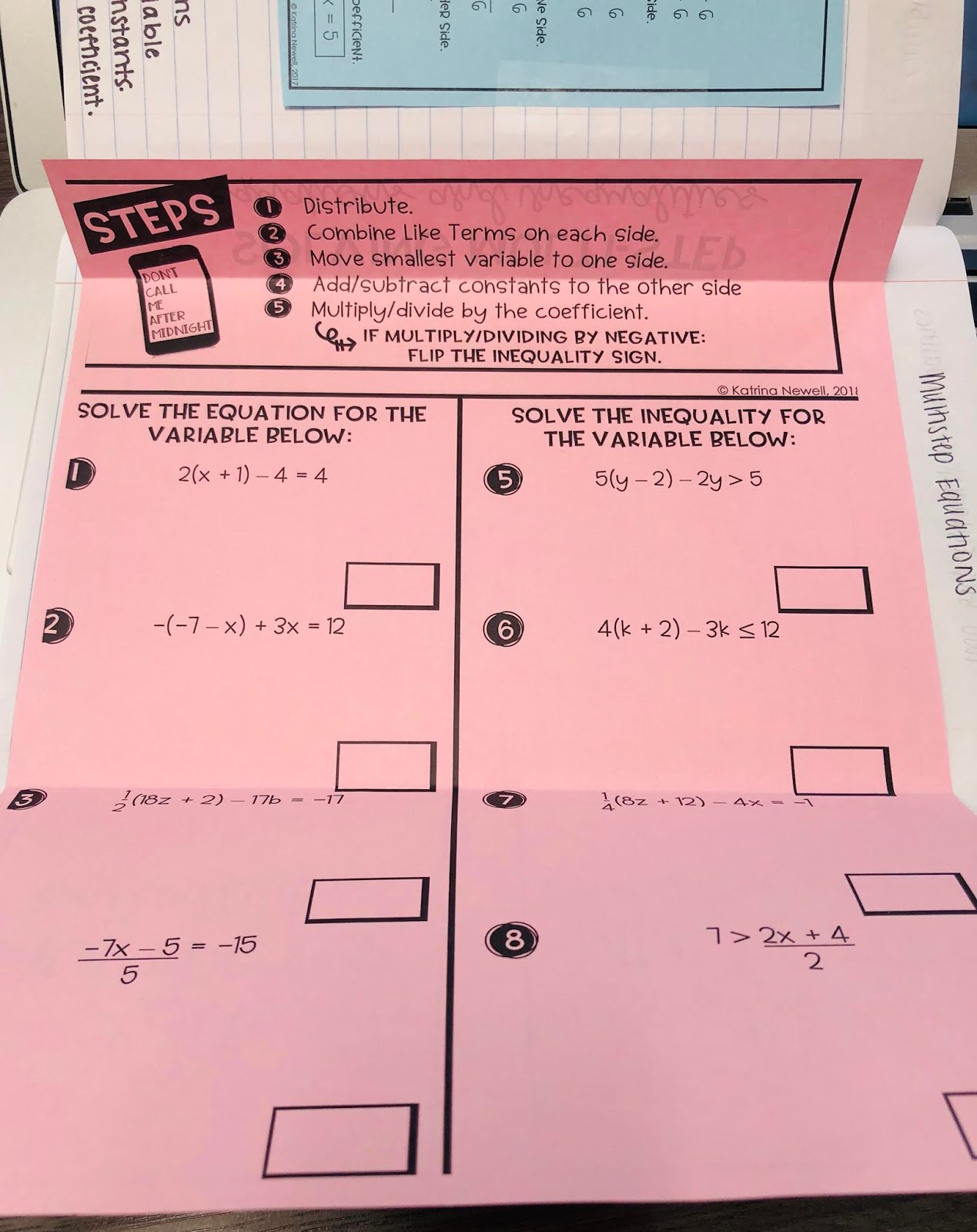
I absolutely LOVE the following pages over solving multi-step equations. A co-worker of mine has used the following acronym for over 3 years now in her classroom and she feels that this is the only thing that has really stuck with her students.


After the multi-step equations foldable, we will complete a "truth or lie" activity on Google Slides. As a team, we are trying to incorporate more writing into our Algebra 1 classes. Students will find the cards that are "lies" and give an explanation. I have blogged about error analysis activities before (Click Here) and I absolutely love the results that I receive back from students. Our district uses Schoology and you are able to easily input the Google Slides link into Schoology for students to submit their work.


After reviewing solving multi-step equations, we are planning to go over solving equations and inequalities with variables on both sides. Currently, I am planning to use an activity that I did last year where students solved 12 problems that had answers as either 0, 1, All Real Numbers, or No Solution. I found this activity to be extremely helpful in clearing up any student misunderstandings. 


Has anyone else taught equations and inequalities together? This will be brand new to the Algebra 1 team this year and I am curious as to any pros or cons. 


I am also wearing this shirt any time we review solving equations... From my experience, students are visual learners and they remember any of my shirts! lol  Click here if you want one too!


You can find several other blog posts over solving equations that I previously wrote about here: 

Here are some of the files that I wrote about in this post. Please feel free to share and use!


11

My 5 Favorite Foldable Templates

Monday, April 2, 2018
This post is dedicated to my 5 favorite foldable templates. I create 99.5% of my foldables and activities in PowerPoint. At the bottom of this post, I have shared a Google Drive folder with the following templates.

If you decide to use any of my foldable templates, then I ask that you DO NOT sell your foldables on any website. Please share with your colleagues!

Template #1: Flip-Book with 5 Topics
Flip-books work great for study guides or as "notes" for a unit. The picture below is an example of a flip-book that I made with 5 topics. I included the directions on how to set up the flip-book in the folder.


Template #2: Foldable with Four Flaps
I like using this template if I am covering four topics that do not require many practice problems. This type of foldable works well with definitions and one practice problem. 


Template #3: Foldable with Two Flaps


Template #4: Foldable with Four Flaps


Template #5: Foldable with Three Flaps


Here are some hints when working with PPT:
  • Use Guides to help line up text boxes and diagrams (Double click in empty space --> Guides --> Guides)

  • Save documents as a PDF so that I have more printing options (File --> Save As --> File Format --> PDF)


If this is helpful and you would like to know more about how I create activities, then please let me know! If you are used to working with PPT and I forgot to add a helpful hint, then please let know so I can add it to this post. 


GOOGLE DRIVE FOLDER: Foldable Templates


5

Algebra 1 Quadratics Unit

Thursday, March 22, 2018
We are finishing up our Quadratics unit in Algebra 1 and I wanted to share some of my favorite foldables and activities.

Below is a cut and paste activity that we did as soon as we finished going over the basic key terms of quadratics. For the ROXS column, I tell my students that the acronym stands for Roots, Zeros, X-Intercepts, and Solutions to help them with the vocabulary. Students did extremely well on this activity and in hindsight, I did not know how much I would appreciate adding the factors columns.


Here are some Transformations of Quadratics interactive notebook pages that I used. I really liked these pages because students were able to visually see the transformation and explain what was "happening."


 After the foldable, students worked on their first partner activity of the new year. I forgot how much collaboration and communication occurs when students work together on partner activities. Students really enjoy checking their answers with a partner!


We spent two days covering transformations of quadratics and on the second day, students completed the following Desmos Challenge that was created by MathyCathy and Michael Fenton:


I absolutely LOVED this Desmos Challenge and so did students. If there are any more Desmos challenges similar to this one, please send them my way!

This is all we were able to cover before Spring Break so I knew I had to create a review game when students came back. I ended up making a PPT review game where class periods ended up competing for the most point. The class period that received the most points received a jolly rancher and free homework pass. I don't know about your students, but my students LOVE companions!


The following day, we went over the vertex form in their notebook and completed a Google Slides activity in Schoology. Below is a Google Slides activity that I assigned to students where they had to copy and paste the triangle to the correct location.


Thank you so much for taking the time to read this post. If you end up trying some of these activities and foldables, I would love to know!


If you would like to use the activities and foldables, click on the links below:


7

Systems of Equations

Wednesday, February 14, 2018
I am in LOVE with this flip book that I made for systems of equations in Algebra 1. It is basically a review of all topics that are covered in systems and is organized so that students have a quick go-to reference. We did not complete the flip-book (evens only) and I am planning to finish the odds when we do our STAAR review in May.


Students were struggling with the concept of creating a system with a given amount of coins. So, another teacher had a great idea of creating a Google Slides document where students can practice solving systems with a partner. The following Google Slides document was uploaded into Schoology so that students could work together to solve the problem and create the "best slide". I made 5 copies of the Google Slides for each class period. 

Below are pictures of some of the original slides that students were given:


We were reviewing around December so many slides had a "Christmas theme" slide. Here are some of the end results that students wanted to share: 


I feel that this helped students SO much because they were able to easily count the money on the slide to see if they had the correct amount. I also feel that I have seen this idea floating around somewhere on the internet. If this is your original idea, please let me know so I can give you credit!

Also, I am not sure if I uploaded the correct version of the Systems of Equations flip-book. One is good to go and the other has quite a lot of typos! :)


Here are some of the files that I used for this lesson: 

Make a Copy of the Google Collab Doc to use in your classroom. 


2

Solving Systems of Equations by Graphing

Monday, December 11, 2017
I used the following foldable for solving systems of equations by graphing. Students really enjoyed it and seemed to understand the concept when I broke it down into the following three categories: systems with one solution; systems with no solution; and systems with infinite solutions.


After the foldable, we completed the following activity on Google Slides. Students had to solve each problem and place the picture on the coordinate. This activity was put in Schoology where I could see students progress as they were working. Some students decided to copy the slide 10 times so they could also graph the line on the slide. Overall, students really enjoyed it!


Overall, I feel that ALL of my students can easily solve systems of equations by graphing. We still do the "X-CITING MOVE" & "THE GREAT DIVIDE" so it helps students out a lot!

If you would like access to documents that I used, click here:


*NOTE: You will need to make your own copy of the Google Slides Activity since I turned it on "view only"
0